How to Improve NSFW AI Image Quality: Reproducible Recipes for Anatomy, Pose, and Face Detail
Actionable SDXL recipes, ControlNet & inpainting workflows to improve NSFW AI image quality—fix anatomy, pose, and facial detail with copy‑paste settings and presets.
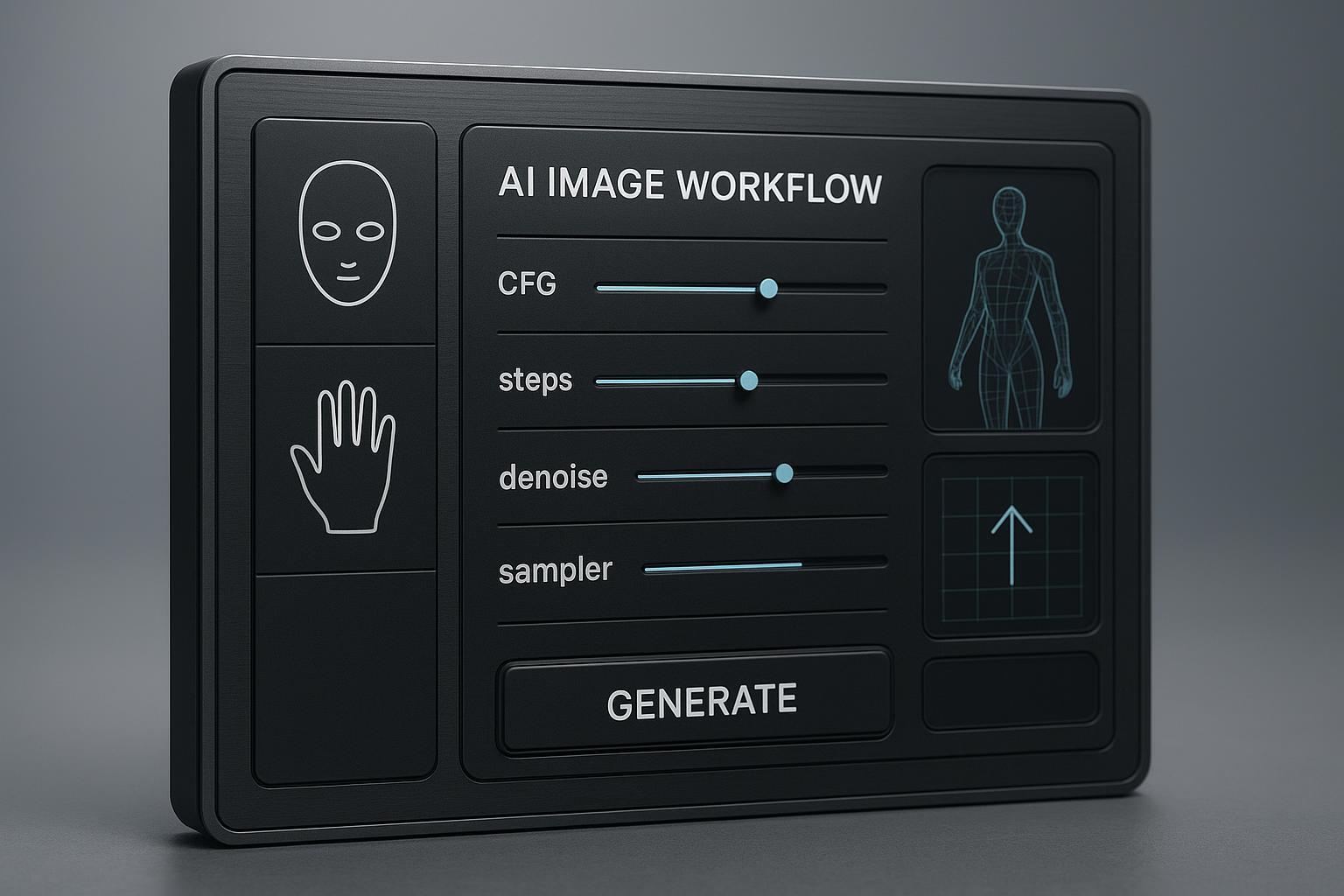
You can already generate. What’s inconsistent is quality: warped hands, mushy faces, and poses that don’t read. Here’s a practical playbook to improve NSFW AI image quality with model/style pairings and parameter recipes you can copy, paste, and iterate. Follow the steps and you should see steadier anatomy, clearer faces, and more predictable results in 1–3 iterations.
Key takeaways
Use SDXL-era defaults for stability: DPM++ 2M Karras, 35–50 steps, CFG 7–9, around 1024×1024; lock seeds once you like a composition.
Prioritize structure first, details second: if anatomy or pose is off, guide with ControlNet (OpenPose/Depth) or do a short inpainting pass before upscaling.
Tune denoise by target: faces ~0.6–0.75; hands/anatomy rebuilds ~0.75–0.9; upscale with 0.2–0.4 denoise to add crisp detail without drifting.
Keep a modular negative prompt for anatomy/face stability and add ControlNet only when needed.
Save presets and reuse: small, repeatable changes beat full re-rolls when chasing consistency.
Quick diagnostic path
Think of quality like building a house: foundation (pose/structure) first, then walls (anatomy), then paint (skin and facial detail). If the base is shaky, no amount of repainting helps.
If the pose doesn’t read or limbs keep drifting → apply ControlNet OpenPose at high weight or regenerate from a cleaner reference pose before any other tweaks.
If pose is fine but anatomy is broken (hands/fingers/limbs) → do a targeted inpainting pass with higher denoise to overwrite bad geometry; keep the rest untouched.
If anatomy is fine but faces are mushy → run a face inpainting micro-pass at mid denoise, then tiny restoration if needed.
Recipes to improve nsfw ai image quality
Below are three reproducible recipes. Start Conservative to stabilize; move to Balanced; try Aggressive when you want more creativity. All recipes assume SDXL-era checkpoints. Use random seed for exploration, then fix the seed to iterate.
Conservative recipe (stability first)
Copy-paste prompt (example — adapt identity/style):
Positive:
photoreal portrait, upper body, clean lighting, detailed skin, natural anatomy, realistic hands, sharp eyes, accurate proportions, cinematic depth of field, high detail skin texture
Negative:
extra fingers, extra limbs, fused limbs, missing limbs, bad anatomy, deformed, poorly drawn hands, poorly drawn face, blurry, low quality, watermark, text
Settings:
Sampler: DPM++ 2M Karras
Steps: 40–50
CFG: 7–8.5
Size: 1024×1024 (or ~1M px aspect preset like 1216×832)
Seed: random for exploration → fix once composition lands
Optional SDXL Refiner: last ~20% of steps (community practice)
When to use: You want maximum pose/anatomy stability and crisp skin before styling.
Balanced recipe (detail + stability)
Copy-paste prompt (example — adapt scene):
Positive:
photoreal portrait, three-quarter view, dramatic rim light, realistic skin microtexture, elegant pose, expressive eyes, subtle film grain, shallow depth of field
Negative:
extra fingers, extra limbs, fused limbs, missing limbs, bad anatomy, deformed, poorly drawn hands, poorly drawn face, over-smooth, plastic skin, low quality, watermark, text
Settings:
Sampler: DPM++ 2M Karras
Steps: 35–45
CFG: 7.5–9
Size: 1024×1024 (or 1152×896 / 896×1152)
Seed: explore → fix; subseed 0.1–0.3 for gentle variants
Optional: ControlNet OpenPose at 0.8–1.0 when pose needs to match a reference; Depth 0.7–0.8 for structure
When to use: You want strong detail without sacrificing anatomy or pose.
Aggressive recipe (more creativity, controlled risk)
Copy-paste prompt (example — adapt style):
Positive:
stylized realism, dynamic pose, dramatic lighting, accent color palette, intricate details, refined anatomy, high-contrast, cinematic composition
Negative:
extra fingers, extra limbs, fused limbs, bad anatomy, noisy skin, artifacts, overly smooth, blurry, watermark, text
Settings:
Sampler: DPM++ 2M Karras (or test Euler a for creative variation)
Steps: 30–40
CFG: 6.5–8 (lower CFG can reduce harsh artifacts while keeping style)
Size: 1024×1024 (scale later with tiled diffusion)
Seed: fix + subseed 0.2–0.3 to explore around a keeper
ControlNet: OpenPose early, taper late if you want slight detail drift
When to use: You want stronger stylistic swing while keeping anatomy in check.
Troubleshooting matrix
Two rules: fix structure before texture; use the smallest surgical tool that works.
Symptom | First-line fix | Example numeric tweak |
|---|---|---|
Extra fingers or twisted hands | Inpaint hands only, overwrite geometry | Inpainting denoise 0.8–0.9; Mask content = Latent noise; 20–30 steps |
Pose keeps drifting | Add ControlNet OpenPose at high weight | OpenPose weight 0.9–1.0; Control mode Balanced |
Face looks mushy | Face inpainting micro-pass | Denoise 0.6–0.7; Mask content = Original; blur 4–8 px |
Skin looks plastic | Reduce face-restoration or avoid; add texture in prompt | CodeFormer 0.4–0.5 or off; add “skin pores, subtle grain” |
Overcooked contrast/noise | Lower CFG or steps; add Depth control | CFG down by 0.5–1; Depth weight 0.7–0.8 |
Style collapses after upscale | Lower upscale denoise; disable face-restore during upscale | Upscale denoise 0.2–0.3; Face restore off |
Citations: Pose/ControlNet and sampler guidance reflect 2024–2026 community docs like the Stable Diffusion Art ControlNet guide and Shakker wiki.
Multi-pass inpainting workflow example
This example shows a compact, repeatable repair loop using an inpainting-capable workflow. It’s tool-agnostic and mirrors the settings recommended by common 2024–2026 community guides.
Pass order:
Pass 1 — Hands/fingers rebuild
Pass 2 — Face clarity and identity
Pass 3 — High-res upscale detail
Settings and tips:
Hands pass: Mask only the hand region with a few pixels of feathering. Use Inpaint = Only masked. If geometry is wrong, set Mask content to Latent noise (or Latent nothing) and denoise 0.8–0.9 to fully rewrite shape. Keep steps ~20–30, DPM++ 2M Karras for consistency.
Face pass: Create a tight face mask (eyes, nose, lips). Use Mask content = Original to preserve structure. Denoise 0.6–0.75; steps ~20–30. Run multiple light passes if needed rather than one heavy pass.
Upscale pass: After structure and facial detail look right at ~1024, upscale 2×–4× with a tiled diffusion or Ultimate SD Upscale workflow. Tile size ~512×512; overlap/feather or seam-fixing on; denoise 0.2–0.4; pair with a high-quality 4× upscaler. Avoid face-restoration during upscale to prevent identity drift.
Optional tools: ControlNet OpenPose at the start if pose fidelity is critical; Depth if perspective/structure needs reinforcement. Keep weights high early, then taper.
Source notes: These ranges align with public guides such as Stable-Diffusion-Art’s inpainting basics, Shakker’s SDXL guide, and upscaling docs referenced below.
Model and style pairings that stabilize anatomy
Photoreal checkpoints tuned for realistic skin and lighting usually produce steadier anatomy than highly stylized models. Start from square or near-square 1024 bases and scale after the structure is correct.
Photoreal focus: Use SDXL-era photoreal checkpoints; pair with DPM++ 2M Karras at 35–50 steps and CFG 7–9. Consider a refiner for the last ~20% of steps as a community practice, per Diffusers SDXL guidance and optimization articles.
Stylized focus: Expect to rely more on ControlNet for pose fidelity and a stronger negative module for anatomy, since aggressive styles can amplify artifacts. Keep CFG slightly lower (e.g., 6.5–8) if you see overcooked noise.
LoRA hygiene: When adding face/hand LoRAs, start with low weights and check creator notes for SDXL compatibility. Increase weight gradually to avoid overfitting artifacts.
Selected references for technique background: Stability AI’s SDXL base model card; Hugging Face Diffusers SDXL usage guide; optimization write-ups by Félix Sanz and others.
Seeds, CFG, and sampler choices that keep results repeatable
Fix vs randomize: Explore with random seeds to find compositions; once you see a keeper, fix the seed and iterate. Use subseed 0.1–0.3 to explore around a fixed base without losing the layout.
Sampler choice: For anatomy and face stability, DPM++ 2M Karras is a strong default across 2024–2026 community guidance. Euler a can be fun for creative swings; consider it in the Aggressive recipe only.
CFG and steps: Most portrait workflows settle between 35–50 steps and CFG 7–9. If outputs look brittle or over-contrasty, nudge CFG down 0.5–1. If detail is thin, add 5–10 steps.
Background reading: sampling and reproducibility tips from community sources like PromptingPixels and Stable-Diffusion-Art.
Post-processing that adds detail without breaking identity
Tiled diffusion / Upscale: From a coherent 1024 base, upscale 2×–4×. Use 512×512 tiles, enable feathering or seam-fixing, and keep denoise low (0.2–0.4) to preserve look while adding micro-detail. Pair with a high-quality 4× upscaler.
Face restoration caveats: CodeFormer (0.4–0.7) or GFPGAN (0.3–0.5) can help slightly degraded faces, but higher strengths may shift identity. Prefer inpainting micro-passes first; restoration is a last-mile touch.
External practice summaries: Stable-Diffusion-Art upscaler guide, Pelayo Arbués’s notes on high-quality upscaling, and other tiled diffusion write-ups.
References and further reading
SDXL model and pipeline notes: see Stability AI’s model card for SDXL base and the Hugging Face Diffusers SDXL usage guide.
Control and sampler guidance: see Shakker’s SDXL guide and the Stable-Diffusion-Art ControlNet guide.
Inpainting basics and upscaling: see Stable-Diffusion-Art inpainting basics and AI upscaler pages; Pelayo Arbués’s high-quality upscaling notes.
Negative prompts roundups: AITubo’s negative prompt libraries.
According to public resources like the Hugging Face Diffusers SDXL guide and techniques compiled in Félix Sanz’s SDXL optimization write-up, 1024 starting sizes with DPM++ 2M Karras and CFG ~7–9 remain a solid baseline. For inpainting specifics, the Stable Diffusion Art inpainting basics and ControlNet guide offer step-by-step options. For tiled diffusion and upscale, useful primers include the AI upscaler overview and Pelayo Arbués’s notes. For negative modules, see AITubo’s negative prompt list.
DeepSpicy micro-example: surgical anatomy and face repair with inpainting
Here’s a neutral, reproducible micro-workflow that mirrors the guidance above using an inpainting-capable setup.
Scenario: You like the composition at 1024×1024, but one hand is malformed and the face is slightly soft.
Hands pass
Mask: just the problem hand; blur 4–6 px.
Inpaint mode: Only masked; Mask content: Latent noise.
Sampler/steps: DPM++ 2M Karras, 20–30 steps.
Denoise: 0.85 (range 0.8–0.9 to fully rewrite geometry).
Prompt add-ons: “realistic hand anatomy, five distinct fingers, natural knuckles, clean fingernails.” Keep the global negative module for anatomy.
Face pass
Mask: tight face mask around eyes, nose, lips.
Mask content: Original.
Sampler/steps: same as base; 20–30 steps.
Denoise: 0.65 (range 0.6–0.75) for preserved identity + added micro-detail.
Prompt add-ons: “sharp eyes, defined eyelashes, natural skin pores, detailed lips.” Avoid heavy face-restoration unless still needed.
High-res upscale
Method: Tiled diffusion or Ultimate SD Upscale.
Tiles: ~512×512, seam-fix or feather on.
Denoise: 0.25 (range 0.2–0.4).
Upscaler: high-quality 4× model; face-restore off during upscale.
Note: These numbers align with community docs linked above and can be reproduced in popular UIs. If you prefer a privacy-first, NSFW-friendly toolchain, the same steps are supported in platforms like DeepSpicy while keeping settings transparent and editable. For prompt modularity tips, see How to write better prompts for an uncensored AI generator and for broader workflows see the AI porn generator ultimate guide.
Next steps and safety notes
Work private and legal: respect local laws and platform policies; keep sensitive data secure.
Save and version presets: lock seeds for keepers; iterate with small, logged changes.
When structure wobbles, fix pose or hands first. Details and style come after.
Want a privacy-first place to try these recipes? You can also run them in DeepSpicy with editable prompts, masks, and upscaling tools.